
Agent-first internal business tools for teams. Describe the work you need to do, shape a focused application with the server-backed assistant, review its interface, then use it with your team.
MIAO combines PocketBase for identity and application data with a server-backed Agent harness. The MIAO API enforces workspace and app permissions; AI credentials stay on the server.
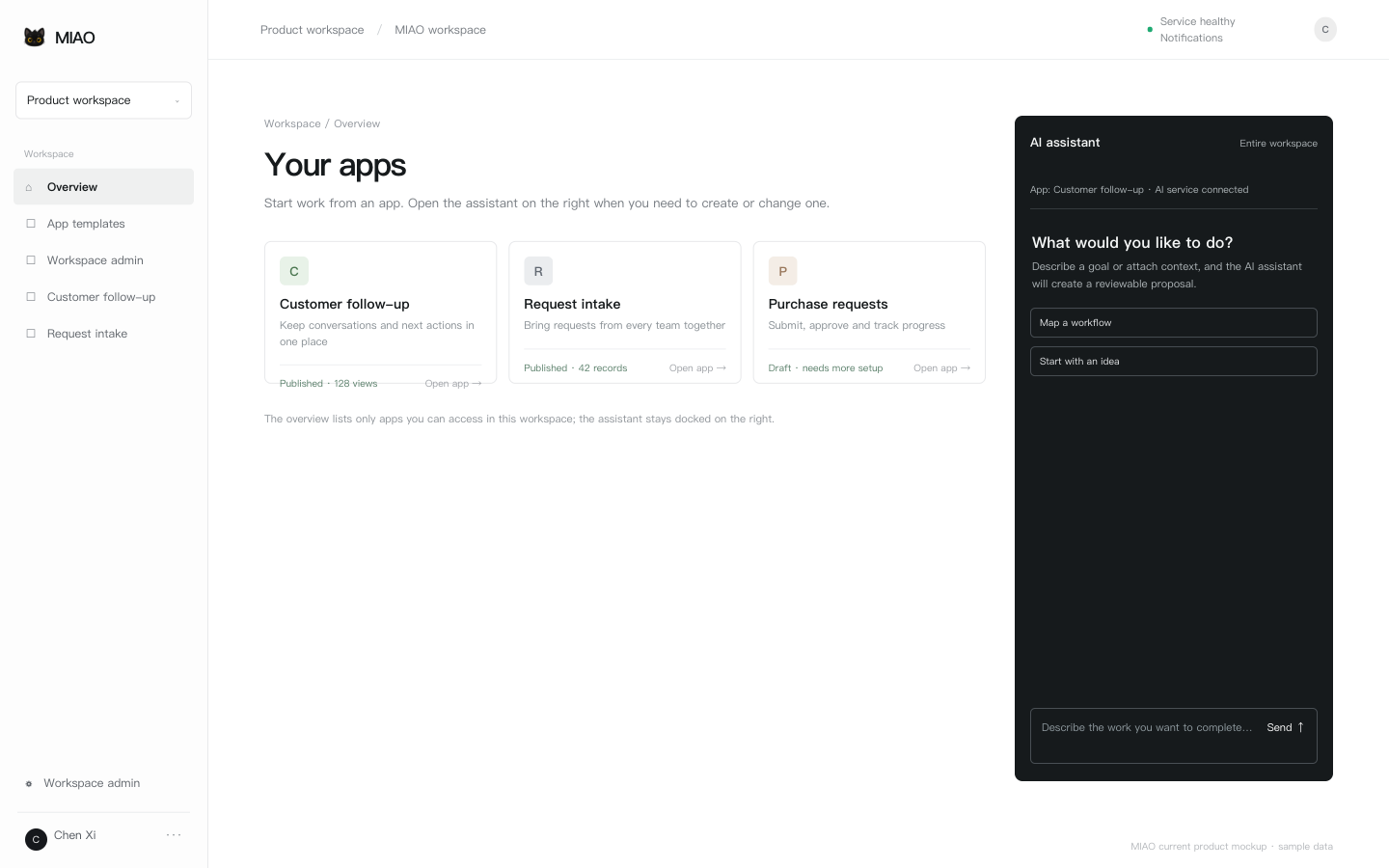
The MIAO workspace shown on the MIAO homepage.
- Describe the work first. Start with a plain-language request and shape a focused internal tool around the data, screens, and actions your team actually needs.
- Keep real business data in one place. Workspaces, apps, tables, records, files, notes, and permissions are backed by PocketBase and enforced by the MIAO API.
- Move from draft to dependable workflow. Preview changes, publish explicit UI versions, configure state transitions, and restore compatible record changes when needed.
- Extend the workspace safely. Let agents and collection scripts read external HTTP(S) sources through bounded runs with budgets and idempotent receipts.
- Automate within an approved scope. Trigger background tasks from time, records, or authenticated external events while keeping permissions and confirmations on the server.
- Share only what is ready. Publish selected pages and fields through a read-only public link without exposing workspace access or write operations.
MIAO fits teams that need a small, evolving business system without starting with a large custom application:
- Request and approval desks: collect internal requests, route them through configurable states, assign owners, and keep an audit trail.
- Sales and service trackers: manage contacts, accounts, cases, or other team-defined records with relations, details, reminders, and confirmed actions.
- Operations and inventory views: give a team a shared workspace for recurring work, status changes, attachments, and lightweight batch updates.
- Research and data collection: read selected external sources, review bounded import plans, and write idempotent collection results into application tables.
- Internal knowledge hubs: combine business notes, protected files, and private conversations so context stays with the application it supports.
- Public read-only directories: publish a curated set of pages and fields for partners, customers, or the wider team while keeping the source workspace private.
- Create internal apps and data structures through an agent conversation.
- Preview, version, publish, and restore compatible business interfaces.
- Publish selected pages and data fields through a generic read-only public link.
- Use multipage published apps with relations, attachments, details, and confirmed business actions.
- Configure reusable state workflows for any user-defined table without adding case-specific platform modules.
- Configure Agent and collection scripts to read external HTTP(S) sources directly, with per-run budgets and idempotent collection receipts.
- Share application business notes and continue private conversations across devices.
- Review CSV/XLSX imports and inspect or restore record changes.
- Run authorized background tasks triggered by time, records, or authenticated external events.
- Invite workspace members and assign app roles with separate batch-update permission.
- Query records, review batch-update plans before execution, and create basic reminders.
- Self-host one Go binary with embedded PocketBase, UI, migrations, and backup/restore commands.
MIAO is designed around an agent-led workflow rather than a drag-and-drop app builder. Published interfaces support up to 12 validated pages and fixed field actions. File uploads are limited to 5 MB, table reading and each import to 100 rows. Record restoration excludes attachments, deletion, and schema. The browser assistant is a server-backed API client; model-dependent composition requires configured server credentials, while published deterministic CRUD remains usable without a model.
MIAO runs as one Go process with PocketBase 0.40.4 embedded. The same binary contains the browser UI, database migrations, and backup/restore commands. Fresh installation is the delivery baseline. Install scripts support Linux and macOS on x64 and ARM64.
Building uses the Go 1.27.1 toolchain pinned in go.mod; Node.js/npm is only needed for the optional browser bundle build. The installation scripts use PM2, curl, and openssl; the compiled server itself needs no Node.js or separate PocketBase executable.
npm run server:install
npm run server:start
npm run server:status
npm run package creates a versioned binary archive and SHA-256 checksum. A v* tag runs the same checks and publishes Linux/macOS x64/ARM64 packages to GitHub Releases. Extract a package and run bash scripts/install.sh; binary installation needs no Go toolchain or npm dependency download.
The installer prints the location of the server configuration it creates, which only holds the data directory, listen address, encryption key, and the first platform admin email. Register the first admin, then configure registration, mail, AI/Jev credentials, platform admins, and backup policy through the platform admin console; those settings live in the database. For binary packages, ports, HTTPS proxy, and recovery, see the deployment and operations guide.
npm ci
npm run build
npm test
npm run check
The repository contains no automated tests. npm test runs go test ./... to check package compilation. The local end-to-end API test suite (accounts, workspaces, apps, records, batch/import plans, workflows, actions, files, tasks, and platform admin) has moved to the tans/miao-test repository.
Run the managed application through PM2 using npm run server:start; see AGENTS.md for repository workflow notes.
- Product, API, deployment, and operations guide
- Changelog
- Generated API reference
- Repository and contribution notes
MIAO source code is licensed under the Apache License 2.0. You may use, modify, and redistribute it under that license, including in commercial products. See TRADEMARKS.md for restrictions on the MIAO name, logos, and mascot artwork.
Third-party dependencies and bundled assets remain under their respective licenses. The Apache license for this repository does not grant rights to the MIAO or third-party trademarks.