code for running obs and connecting to robotstreamer.com on mac
robotstreamer obs mac zip file
the instructions for the osx app...
- unzip
- open folder
- open pippy-app (rsmacops)
- enter robotID, cameraID, streamKey and videoKey
- save & close
- open pippy-app again --- media server starts --- connects to chat for tts --- sends alive message --- gets video and audio endpoints from api
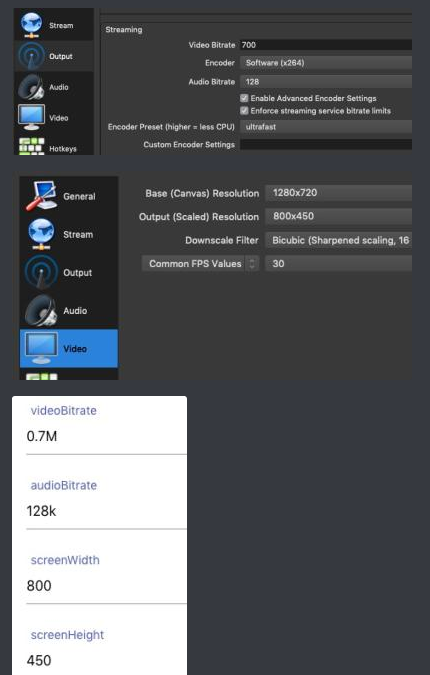
- obs setup: -- obs streaming settings: -- custom server -- server: rtmp://localhost/live -- streamkey: cam
- obs click: start streaming
obs -> rtmp -> pippy-app (ffmpeg) -> robotstreamer
every time you change settings in the pippy-app you have to restart it to make them work
it uses apples terminalsay to speak.. get all voices with say -v '?'