
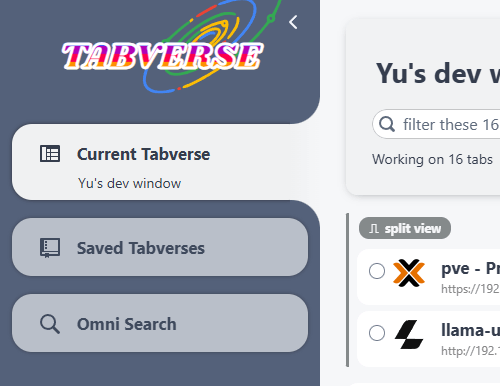
An opinionated way of managing tabs in Chrome.
Tabverse turns a window full of related tabs into a named workspace you can put down and pick up again. When a piece of work is done - or you just need a break
- close the window without losing the thread.
- Tabverses. A tabverse is one window's work: its tabs and tab groups, saved under a name and restored later.
- The things that go with it. Notes, todos, bookmarks, an AI chat, and the tabs you closed hang off the tabverse instead of being lost in a scratch tab. Pin a tool to the top, focus it, and the layout is remembered.
- On-device AI. Where Chrome ships its built-in model: chat about a page you attach, summarize a page into a note, suggest a name - all on this device. A page can also be viewed as Markdown and copied without any model at all.
- Omni search. Find a tab, note or bookmark across every tabverse you have.
- Local first. Everything lives in your browser profile, in IndexedDB. No account, no network, no telemetry.
- Optional sync. Pair with a server to keep several browsers in step. Nothing leaves the device until you set it up.
The user manual walks through every tool in detail.
Chrome 140 or newer, Manifest V3.
- Chrome Web Store - the listing is in review; the button on the website turns on when it is live.
- From a release - download
tabverse.zipfrom GitHub releases and extract it to a folder. Keep that folder: extracting each version into the same one keeps the extension id, and your settings, stable. Then openchrome://extensions, turn on Developer mode, and Load unpacked that folder.
- User manual - install, tabverses, notes, todos, bookmarks, history, omni search, sync.
- Self-host a server
- run
tabversedfor your own sync.
- run
- Server console
- the account and data surface of a deployment.
- Privacy policy and user agreement.
The extension pairs with any tabversed server
(adr/0010):
- The official server - tabversed.liyu1981.xyz, the deployment the extension's one-click setup points at.
- Your own - the server is a single Go binary on SQLite. Start at the
self-hosting guide,
or read
server/README.md.
Either way, sync is opt-in per browser: it starts when you pair a device, and the dialog shows how much data will be sent before anything is.
Tabverses and their tabs, notes, todos, bookmarks, closed-tab history and the tab previews all live in IndexedDB in your browser profile.
The previews are the only cache: a picture of a live tab, keyed by its Chrome tab id, swept when the tab closes and never sent to a server (adr/0016). Losing them costs a few missing thumbnails and nothing else.
Nothing is sent anywhere until you pair a server, and then only your content. The privacy policy spells it out.
pnpm install            # pnpm-lock.yaml is the source of truth
pnpm run develop        # watch build of the extension into dist/
pnpm run build          # production bundle
pnpm run build-store    # production bundle + dist_store/tabverse.zip
Load dist/ as an unpacked extension at chrome://extensions; the watch build
refreshes it (reload the service worker from the extensions page after
background changes).
The sync server's console is a second Vite project, at server/ui, built into
the Go binary rather than into dist/:
pnpm run ui:dev         # console at http://localhost:5174/console/, proxying to a server on :8223
pnpm run ui:build       # console -> server/internal/webui/dist (embedded, never committed)
pnpm test # vitest + coverage
pnpm run typecheck # tsc --noEmit
pnpm run lint:check # biome lint
pnpm run format:check # biome formatVersion bumps happen in one place: a pnpm version-style edit of
package.json - the manifest version is injected at build time, and
tools/version_update keeps src/global.ts's UI version string in sync.
- Architecture - how the extension and the server fit together.
- Design decisions - the ADRs behind both.
- Discussions - feedback and questions.
- MIT licensed.