
A modern, two-skin web UI for ZoneMinder surveillance systems
ZoneMinder's web interface, rewritten: no PHP, one codebase, two skins —
a modern content-first console and a familiar classic layout — talking to
the zm-api Rust backend.







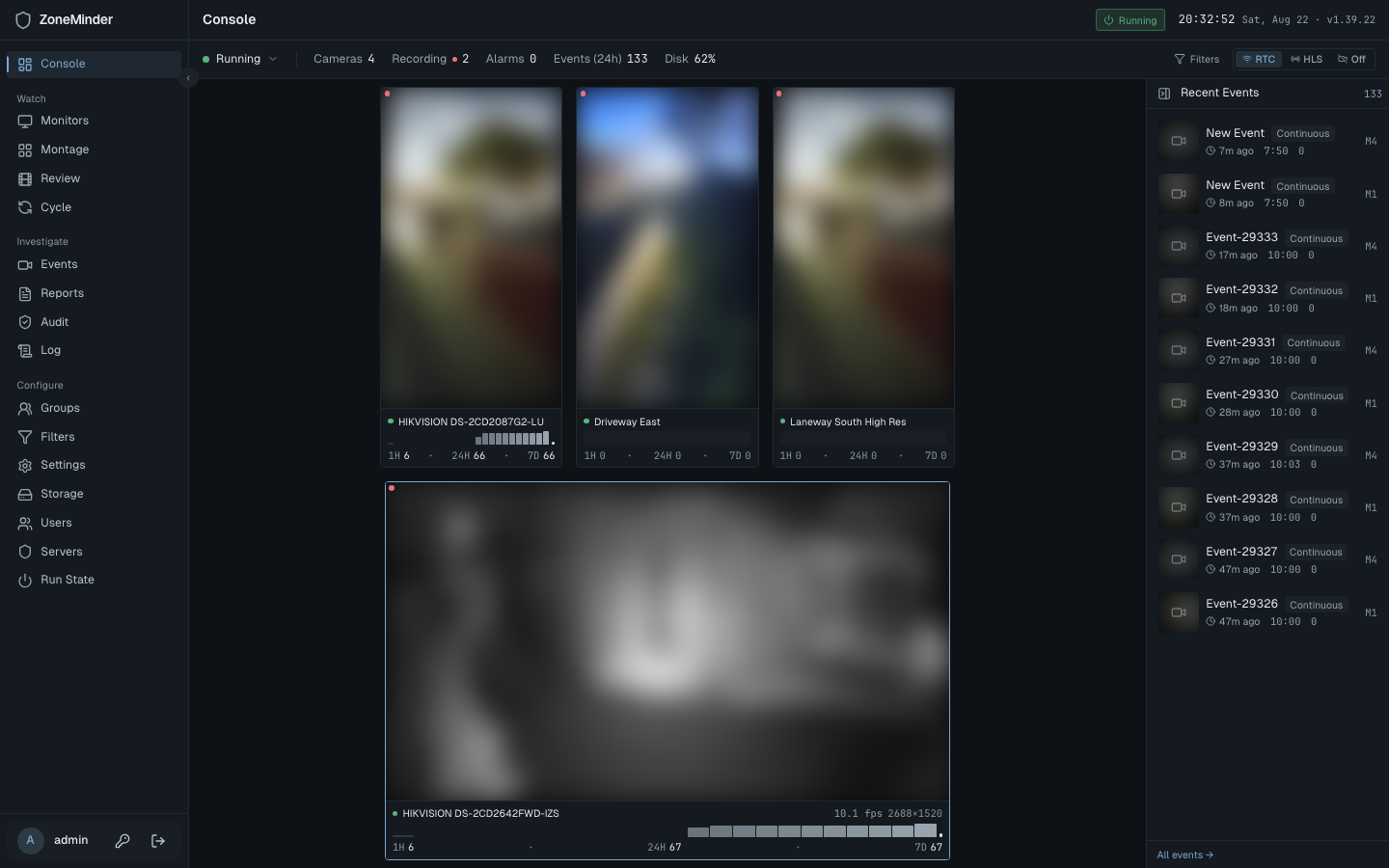 |
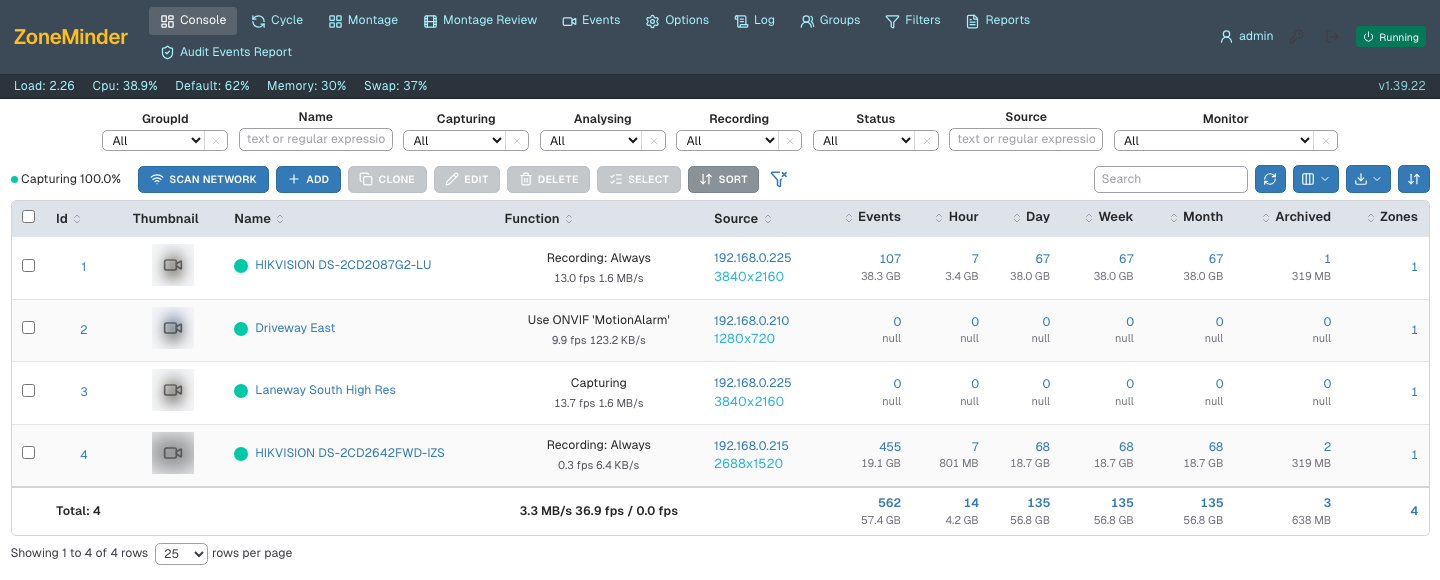 |
| 🎛️ Modern — content-first ops console | 🗂️ Classic — legacy ZoneMinder look |
More of the interface — events, watch, montage, settings, light theme, classic events
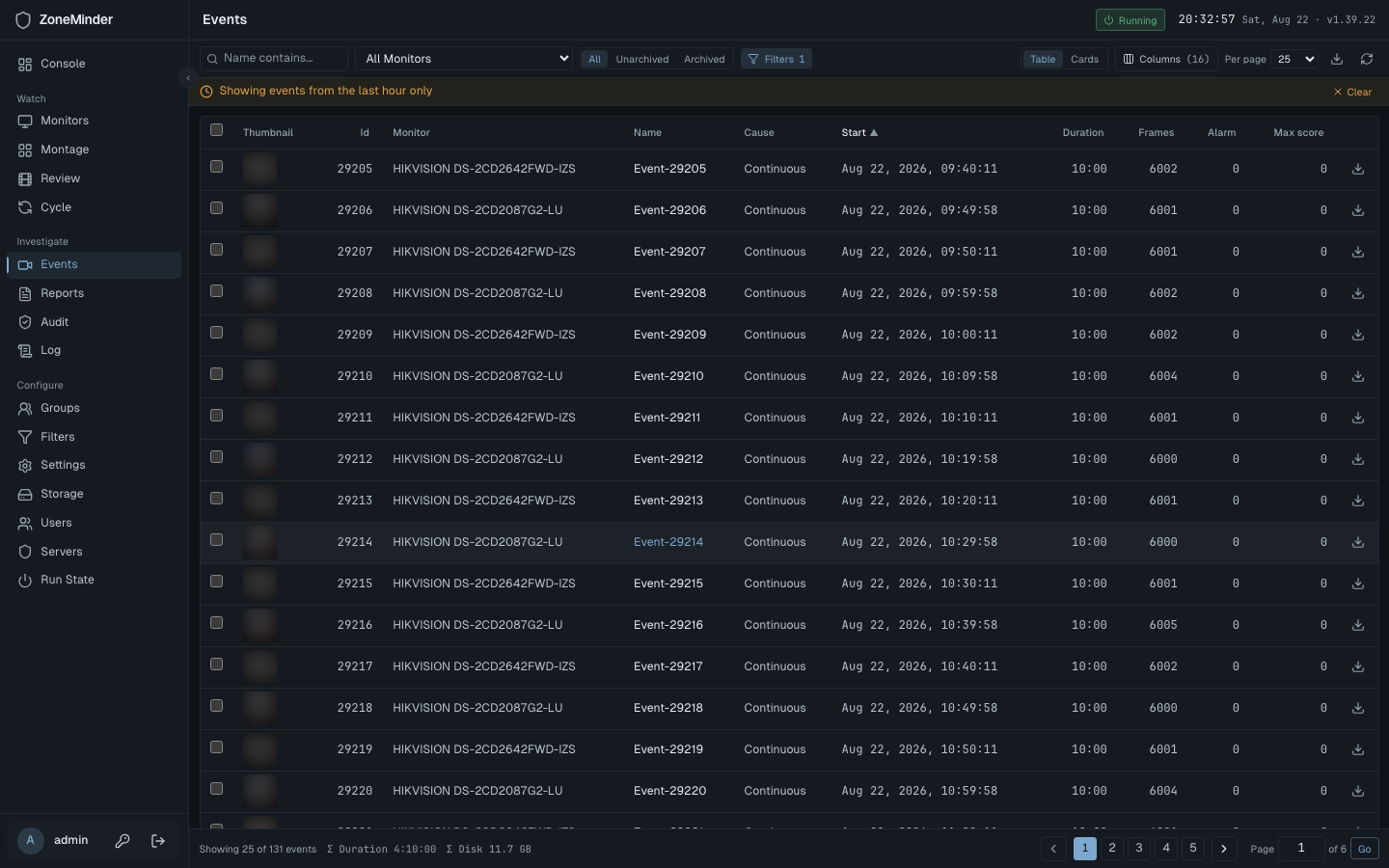 |
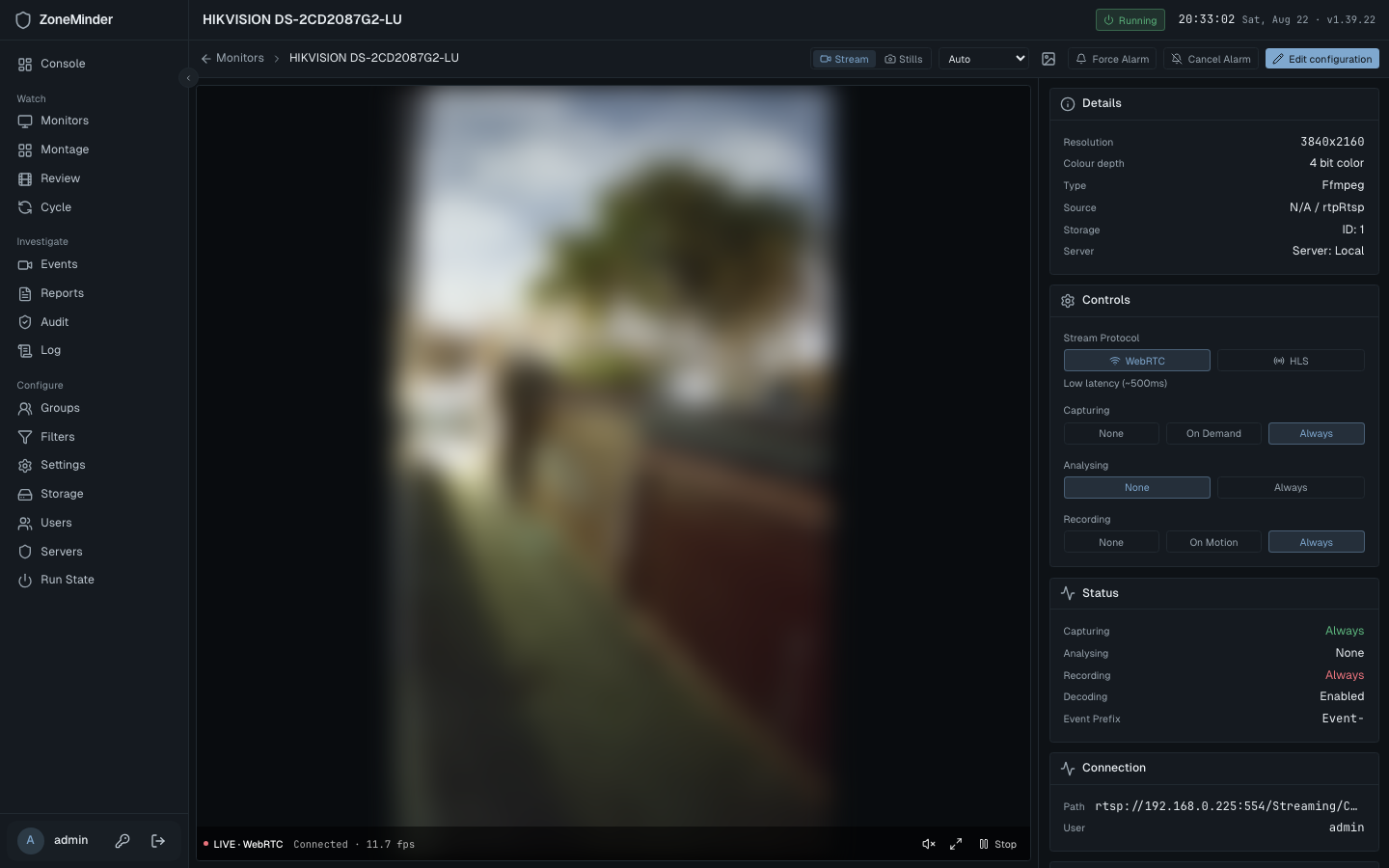 |
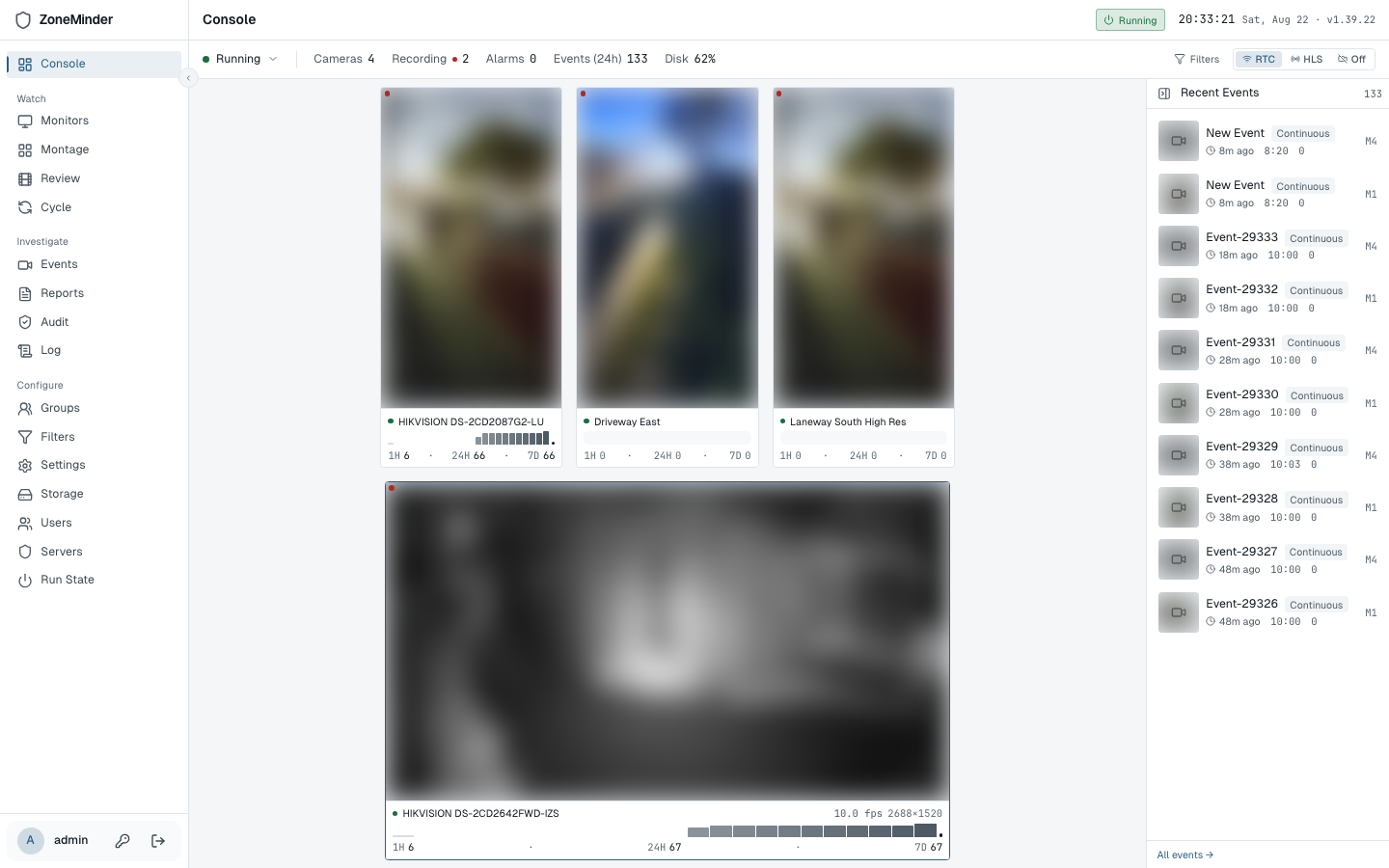
| Events — the table is the page | Watch — stage plus rail |
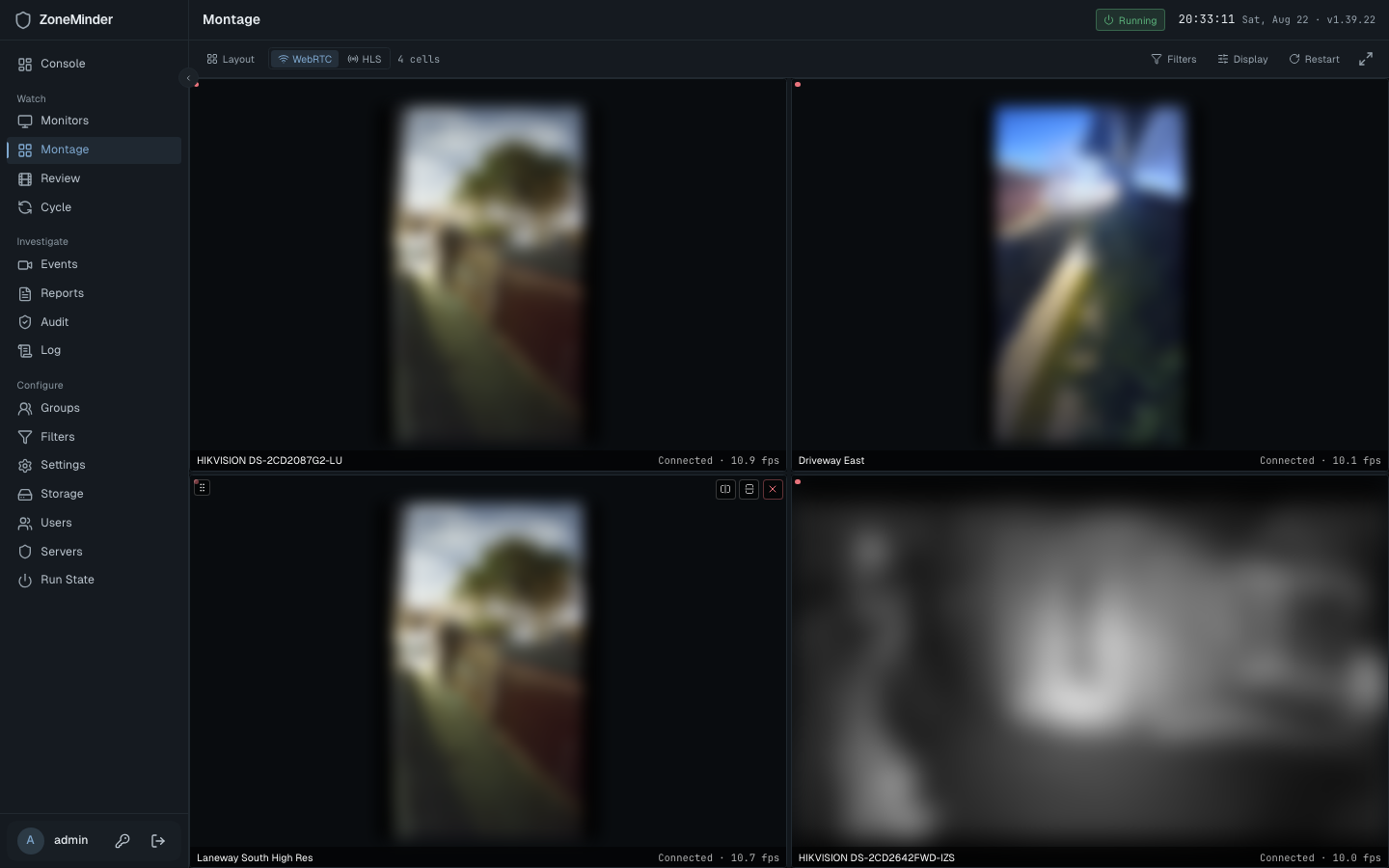 |
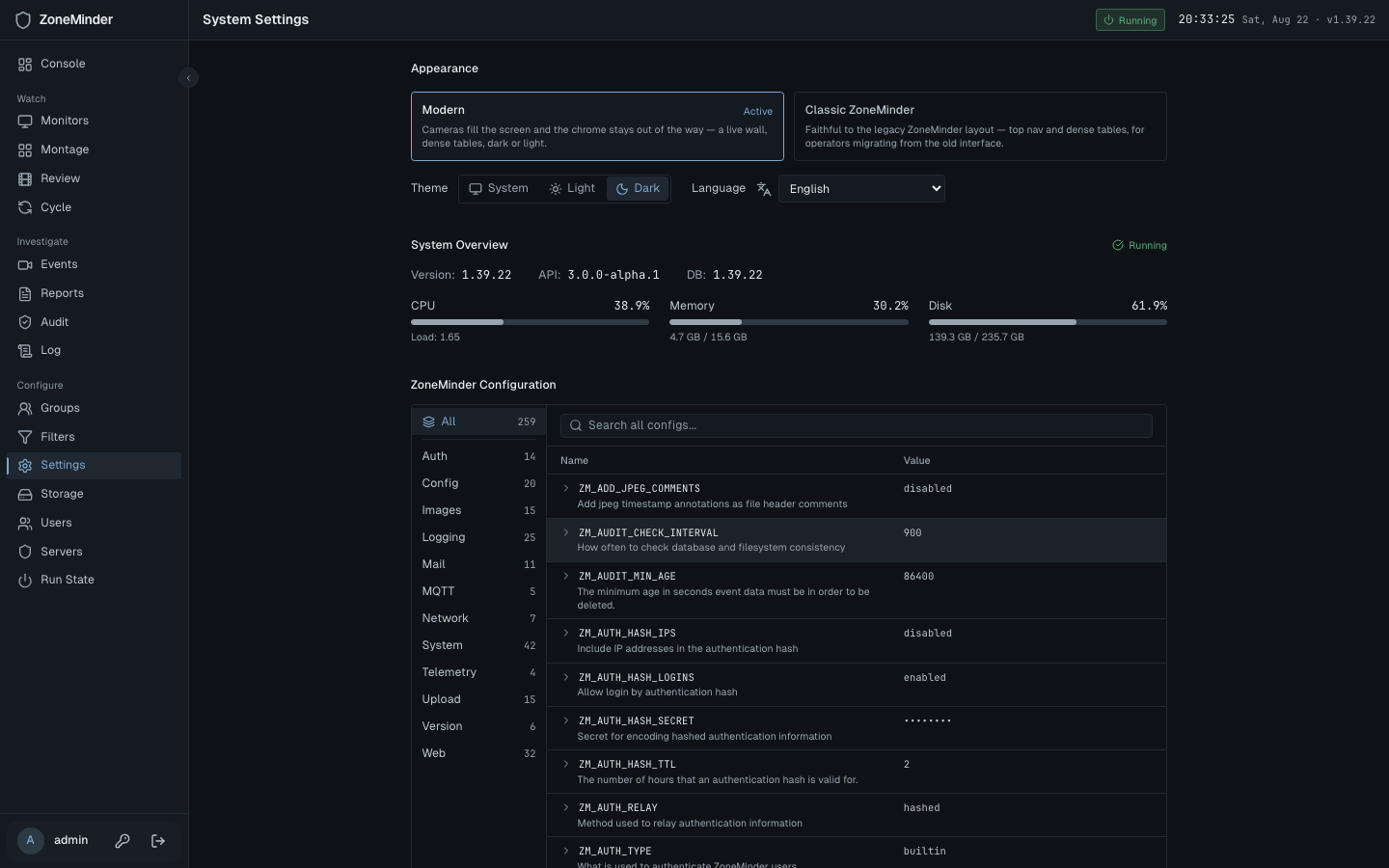 |
| Montage — resizable mosaic | Settings — configuration editor |
 |
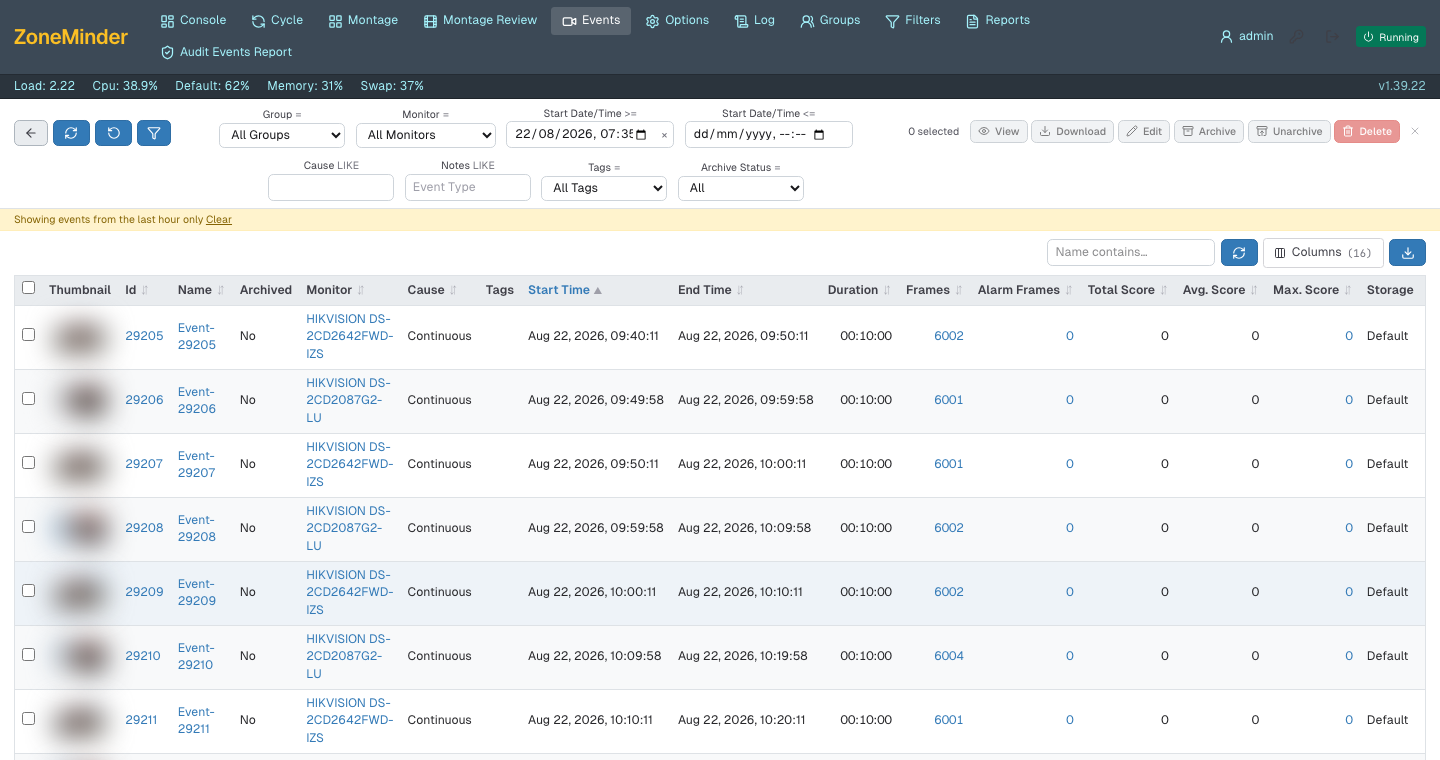 |
| Light theme — designed, not inverted | Classic events — the legacy layout |
Camera images are blurred; the dev box watches a real house.
Regenerate with npm run screenshots. The sources are absolute
because GitHub does not rewrite relative src inside raw HTML —
it resolves against the page URL and 404s.
ZoneMinder is a rock-solid surveillance platform, but its web UI is two decades of
Perl and PHP. zm-web is a clean React front end for the zm-api
REST backend — and it doesn't force a redesign on operators who don't want one:
- 🎨 Two skins, one codebase — switch between a content-first modern console and a classic ZoneMinder look at runtime.
- ⚡ Fast & live — WebRTC and HLS streaming, live thumbnails, snappy navigation.
- 🧩 Heading for full parity — every legacy page has a home (events, montage, filters, logs, reports, audit, settings), measured at ≈42% functional parity on 2026-08-21. The plan to 1.0 is in
docs/PRODUCTION-READINESS-PLAN.md. - 🔒 Auth-aware — JWT auth, token-scoped media, capability-gated controls (PTZ, system start/stop).
- 🧪 Tested — Vitest unit suite + Playwright e2e across Chromium and WebKit.
| Modern | Classic ZoneMinder | |
|---|---|---|
| Feel | Near-monochrome chrome; the video is the only saturated thing on screen, and colour means state — alarm, recording, offline — never decoration | Legacy-style top nav + dense white tables |
| For | Everyday operation and wall displays | Operators migrating from the PHP UI |
| Layout | A fixed frame: one dense line of chrome, content owning the rest. The console is the camera wall | Top nav + tabular rows |
| Themes | Dark and light, both designed rather than inverted | Light only, as the original is |
The modern skin's standard is docs/DESIGN.md; the classic skin is judged
against ZoneMinder 1.39 instead, quirks included.
Selection lives in a persisted Zustand store and is honoured by <AppShell>. A ?skin=modern|classic
URL hint switches once; operators also pick in Settings → Appearance. Every route renders the same
data through shared hooks — only the layout primitives differ.
Per-monitor live streaming over WebRTC (low latency) or HLS, with an integrated PTZ control surface — D-pad, speed/zoom/focus rockers, presets, and AUTO state — capability-gated against each monitor. Pinch or drag to zoom the received picture without moving the camera, and a volume control for streams that carry audio. Portrait cameras are fitted to the frame, not the column width.
Browse, filter, and replay recorded events with codec-aware playback: progressive MP4 for H.264 (plays everywhere, byte-range seeking), HLS for HEVC, and a graceful download fallback for codecs the browser can't decode. Plus a per-frame scrubber, tags, notes, and Tot/Avg/Max scores.
Multi-camera grids, and a Montage Review with a synchronized master clock and per-monitor event bars on a draggable timeline. Plus a Cycle auto-rotating single-camera view.
Console status (panels or classic table), Groups, a rule-row Filters builder with auto-archive / auto-delete, Logs (level + component filters), Reports, and Audit.
Config editor, clustering servers, storage, users and run state. Machine readings — load, CPU, memory, disk, per-daemon health — live on the console's status line, one click from the running indicator, rather than in a strip above every page.
One data layer, two layouts — routes are six-line lookups that render the active skin's page, both fed by the same skin-agnostic feature hooks.
flowchart TD
    API[("🦀 zm-api REST backend")] -->|/api proxy · JWT| Client

    subgraph Client["React app"]
        direction TB
        Q["🔁 TanStack Query · API client (src/api)"] --> Hooks["🧩 Feature hooks (src/features)"]
        Hooks --> Routes["🧭 TanStack Router routes"]
        Routes -->|useUiStore.skin| Shell{"AppShell"}
        Shell -->|modern| MC["🎛️ Modern chrome"]
        Shell -->|classic| CL["🗂️ Classic chrome"]
    end

    Hooks -.live & playback.-> Stream["🎬 WebRTC manager · HLS hooks (src/streaming)"]
    Stream -.-> API
| Layer | Path | Responsibility |
|---|---|---|
| API | src/api/ |
Typed REST client + per-resource endpoint wrappers |
| Features | src/features/ |
Skin-agnostic data hooks & headless logic |
| Routes | src/routes/ |
File-based routes; dispatch on the active skin |
| Skins | src/skins/ |
AppShell + modern / classic chrome |
| Streaming | src/streaming/ |
WebRTC manager + HLS playback hooks |
| Stores | src/stores/ |
Zustand state (auth, UI) |
| Framework | React 19 + Vite 7 + TypeScript |
| Routing | TanStack Router (file-based) |
| Data | TanStack Query |
| State | Zustand |
| Styling | Tailwind CSS v4 |
| Streaming | hls.js + native WebRTC |
| Testing | Vitest + Testing Library · Playwright |
- Node.js 20+ (developed on Node 24) — install via nvm or the installer
- A running
zm-apibackend reachable from your machine
# 1. Clone
git clone https://github.com/SteveGilvarry/zm-web.git
cd zm-web

# 2. Install
npm install

# 3. Point at your backend (gitignored .env)
cp .env.example .env
#   then set VITE_API_PROXY_TARGET=http://your-zm-api-host:8080

# 4. Run
npm run dev                        # http://localhost:5173
The Vite dev server proxies /api (and WebSocket upgrades) to VITE_API_PROXY_TARGET,
defaulting to http://localhost:8080 when unset.
| Command | Description |
|---|---|
npm run dev |
Start the dev server with the /api proxy |
npm run build |
Type-check (tsc -b) and build for production |
npm run preview |
Preview the production build |
npm run lint |
Run ESLint |
npm test |
Run the unit suite once (Vitest) |
npm run test:watch |
Vitest in watch mode |
npm run test:ui |
Vitest interactive UI |
npm run test:coverage |
Coverage, then the per-file floor (scripts/coverage-floor.mjs) |
npm run test:e2e |
Playwright against a live backend (:webkit / :chromium for one browser) |
npm run test:e2e:seeded |
Playwright against the hermetic seeded stack — see below |
npm run i18n:check |
Fail if any string is missing from the catalogue (CI gate) |
npm run screenshots |
Regenerate the README images from a running dev server |
The seeded suite is the one to run before a PR: it stands up ZoneMinder's schema in Docker,
loads fixed rows, and runs both skins against a real zm-api — no dev box needed.
npm run e2e:seed:up          # MariaDB + schema + seed on :3308
npm run e2e:seed:api         # zm-api against it, on :8089 (foreground)
npm run test:e2e:seeded      # in another shell
npm run e2e:seed:down        # when finished
Node is pinned by .nvmrc (22). CI honours it, and a different major has
bitten us — nvm use before running the suite.
npm run build writes a static site to dist/. Serving it needs an SPA fallback
(deep links such as /events/123 must return index.html), a reverse proxy from
/api/ to zm-api that forwards WebSocket upgrades (WebRTC signaling lives on
/api/v3/live/{id}/webrtc/ws and the socket stays open while you watch), and TLS,
because browsers refuse WebRTC on plain http:// away from localhost.
Full detail, including the CSP, is in docs/DEPLOYMENT.md.
Container (nginx, multi-stage build, renders its config from env on start):
docker build -t zm-web .
docker run -d -p 8080:8080 -e ZM_API_URL=http://zm-api-host:8080 zm-web
# or: ZM_API_URL=http://zm-api-host:8080 docker compose up -d (add --profile tls for https on :8443)| Variable | When | Default | What it does |
|---|---|---|---|
ZM_API_URL |
run | required | Upstream zm-api the container proxies /api/ to. |
ZM_API_BASE |
run | /api/v3 |
Prefix the browser calls; written to /config.js. Set to an absolute URL only if the API is on another origin (CORS on zm-api required). |
VITE_BASE |
build | / |
Sub-path to serve from, e.g. /zm/. |
Bare nginx or Caddy. Copy dist/ to the server and use
docker/nginx.conf.template (with proxy.conf and
headers.conf) or docker/Caddyfile. Caddy handles certificates
itself; for nginx bring your own or put the container behind a TLS terminator you
already run.
WebRTC across NAT. The client offers Google's public STUN servers
(src/streaming/webrtcManager.ts). On a LAN they are never used. For remote
operators behind NAT run your own TURN (coturn) and edit that list; HLS remains
available as the fallback. Air-gapped: fonts are bundled (public/fonts/), the
app makes no other off-origin request, and unreachable STUN hosts only delay ICE.
| Browser | Live view | Notes |
|---|---|---|
| Chrome / Edge 111+ | WebRTC, HLS via hls.js |
Primary target; the CI e2e suite runs here |
| Firefox 115+ | WebRTC, HLS via hls.js |
|
| Safari 16.4+ (macOS) | WebRTC, native HLS | Needs H.264 42e01f/640c1f in the offer; the suite runs on WebKit |
| iOS Safari 16.4+ | WebRTC, native HLS | 390 px layout is asserted in CI; fullscreen uses the iOS video API |
Everything below that is untested, and anything without WebRTC or MSE will not
show live video. The UI itself needs a browser with CSS nesting and
:has() — the same 2023 baseline.
src/
├── api/         Typed REST client & per-resource endpoint wrappers
├── components/  common/ (Panel, …) · console/ · layout/
├── features/    Skin-agnostic data hooks + headless logic per feature
├── routes/      TanStack Router file-based routes (dispatch on skin)
├── skins/       AppShell + modern/ and classic/ chrome
├── streaming/   WebRTC manager + HLS playback hooks
├── stores/      Zustand stores (auth, UI)
├── types/       Shared TypeScript interfaces + helpers
└── index.css    Tailwind v4 theme & utilities
See CLAUDE.md for deeper architecture notes — the dual-skin design,
API response conventions, and streaming internals.
A few zm-api quirks worth knowing (full details in CLAUDE.md):
- 📄 Paginated responses use
{ items, total, per_page, current_page, last_page }. - 🔢 Booleans come back as integers (
0 | 1) — use thetoBool()helper. - 🗓️ Dates are snake_case (
start_date_time,end_date_time). - 🔒 Live endpoints require a JWT via
Authorization: Beareror a raw?token=query param (WebSockets must use?token=— browsers can't set headers onnew WebSocket()).
- 🦀 zm-api — the Rust REST API backend this dashboard consumes.
PRs welcome! Before opening one, run the quality gates:
npm run lint && npm test && npm run buildKeep changes focused, work tests-first, and make sure features work in both skins. Full
workflow and conventions are in CONTRIBUTING.md; contributions are
covered by the CLA.
zm-web is dual-licensed:
- 🆓 Open source — AGPL-3.0. Free to use, modify, and self-host. If you
run a modified version as a network service, the AGPL requires you to publish your
changes — the same license as the
zm-apibackend. - 💼 Commercial license. For embedding zm-web in a closed-source product, or running a modified version as a hosted service without the AGPL's source-sharing obligation, a commercial license is available. Contact the maintainer to enquire.
Contributions are accepted under a Contributor License Agreement so the project can be
offered under both licenses — see CONTRIBUTING.md.