
Radio Code Calculator is an online service along with Web API & SDK for generating car radio unlock codes for popular vehicle brands.
Following a breakdown or a disconnection of the car battery, most of the vehicle radio & navigation units will ask for an unlocking code. It's standard anti-theft protection.
Our car Radio Code Calculator allows you to generate 100% valid radio codes to unlock car radios & navigation without the need to use the expensive service of authorized dealers.
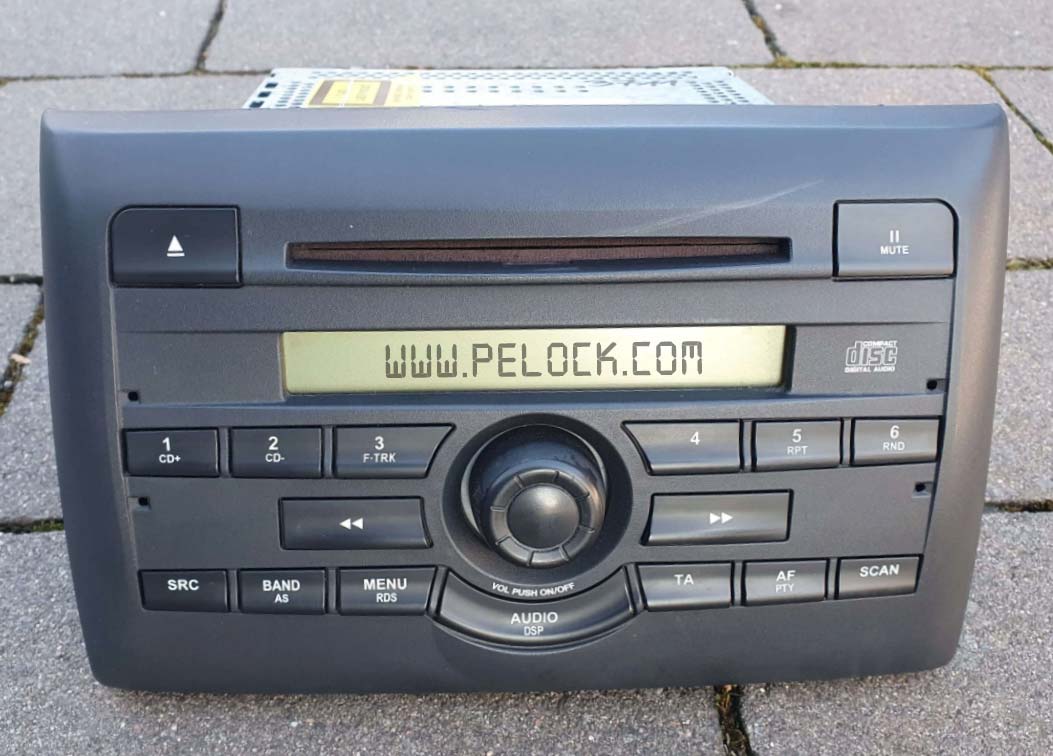
The service is available through a simple online interface and Web API, with multiple SDK development libraries for popular programming languages.
Thanks to our solution, you can create, for instance, mobile or web applications that allow for easy generation of radio codes.
Our service is being continuously developed and new algorithms are gradually added for new car models and their radios.
If a new algorithm is added, you will get automatic and free access to it as part of your current license.
Individual calculators are available on our site as a paid service for end customers. You can verify them and see lists of supported radios on the relevant subpages:
- Renault & Dacia
- Toyota ERC
- Jeep Cherokee
- Ford M Serial
- Ford V Serial
- Ford TravelPilot EX, FX & NX
- Chrysler Panasonic TM9
- Chrysler Dodge Ram VP2
- Fiat Stilo & Bravo Visteon
- Fiat DAIICHI MOPAR
- Fiat Continental 250 & 500 VP1/VP2
- Nissan Glove Box Immobiliser PIN
- Eclipse ESN Unlock Code Calculator
- Jaguar Alpine
Where and who can use the radio code generation service and make money from code generation?

The main audience for our software is clearly developers and programmers, either of mobile or desktop applications.

If you run an online e-commerce store, you can sell radio codes through it using our software solutions.

We also encourage car repair shops whose customers often use car radio unlocking services.

Private individuals will also profit from our solution by generating codes and selling them on car forums or auction sites such as eBay, Craigslist.
You can generate codes without limitation with your purchased one year license.
Set your own price for generating a single code and start earning by using tried and tested algorithms from a programming language you know.
If you are not a programmer - don't worry. Just use our online calculator.
The preferred way to install the Web API SDK is via PowerShell Gallery.
Install-Module -Name RadioCodeCalculator
Import-Module RadioCodeCalculator
Module listing: https://www.powershellgallery.com/packages/RadioCodeCalculator
The installation packages have been uploaded to repositories for several popular programming languages and their source codes have been published on GitHub:
| Repository | Language | Installation | Package | GitHub |
|---|---|---|---|---|
 |
PHP | Add the following line to require section of your composer.json file "pelock/radio-code-calculator": "*" |
Packagist | Sources |
 |
Python | Run pip install radio-code-calculator |
PyPi | Sources |
 |
JavaScript, TypeScript | Run npm i radio-code-calculator or add the following to dependencies section of your package.json file "dependencies": { "radio-code-calculator": "latest" }, |
NPM | Sources |
################################################################################
#
# Radio Code Calculator WebApi interface usage example.
#
# Verify activation key status.
#
# Version        : v1.0.0
# Language       : PowerShell
# Author         : Bartosz Wójcik
# Web page       : https://www.pelock.com
#
################################################################################

using module '..\radiocodecalculator\RadioCodeCalculator.psd1'

$myRadioCodeCalculator = New-RadioCodeCalculator -ApiKey 'ABCD-ABCD-ABCD-ABCD'
$apiError, $result = $myRadioCodeCalculator.Login()

if ($apiError -eq [RadioErrors]::SUCCESS) {
    $active = if ($result.license.activationStatus) { 'True' } else { 'False' }
    $type = if ($result.license.type -eq 0) { 'Personal' } else { 'Company' }
    Write-Host ("License activation status - {0}" -f $active)
    Write-Host ("License owner - {0}" -f $result.license.userName)
    Write-Host ("License type - {0}" -f $type)
    Write-Host ("Expiration date - {0}" -f $result.license.expirationDate)
}
elseif ($apiError -eq [RadioErrors]::INVALID_LICENSE) {
    Write-Host 'Invalid license key!'
}
else {
    Write-Host ("Something unexpected happen while trying to login to the service (error code {0})." -f $apiError)
}################################################################################
#
# Radio Code Calculator WebApi interface usage example.
#
# List supported radio calculators.
#
# Version : v1.0.0
# Language : PowerShell
# Author : Bartosz Wójcik
# Web page : https://www.pelock.com
#
################################################################################
using module '..\radiocodecalculator\RadioCodeCalculator.psd1'
$myRadioCodeCalculator = New-RadioCodeCalculator -ApiKey 'ABCD-ABCD-ABCD-ABCD'
$apiError, $radioModels = $myRadioCodeCalculator.List()
if ($apiError -eq [RadioErrors]::SUCCESS) {
Write-Host ("Supported radio models {0}" -f $radioModels.Count)
foreach ($radioModel in $radioModels) {
Write-Host ("Radio model name - {0}" -f $radioModel.name)
Write-Host ("Max. length of the radio serial number - {0}" -f $radioModel.serial_max_len)
Write-Host ("Regex pattern for the radio serial number - {0}" -f $radioModel.serial_regex_pattern())
if ($radioModel.extra_max_len -gt 0) {
Write-Host ("Max. length of the radio extra data - {0}" -f $radioModel.extra_max_len)
Write-Host ("Regex pattern for the radio extra data - {0}" -f $radioModel.extra_regex_pattern())
}
}
}
elseif ($apiError -eq [RadioErrors]::INVALID_LICENSE) {
Write-Host 'Invalid license key!'
}
else {
Write-Host ("Something unexpected happen while trying to talk to the service (error code {0})." -f $apiError)
}################################################################################
#
# Radio Code Calculator WebApi interface usage example.
#
# Offline validation of a serial before calling the Web API.
#
# Version : v1.0.0
# Language : PowerShell
# Author : Bartosz Wójcik
# Web page : https://www.pelock.com
#
################################################################################
using module '..\radiocodecalculator\RadioCodeCalculator.psd1'
$myRadioCodeCalculator = New-RadioCodeCalculator -ApiKey 'ABCD-ABCD-ABCD-ABCD'
$serial = '123456'
$extra = ''
$radioModel = [RadioModels]::Get([RadioModels]::FORD_M_SERIES)
Write-Host ("Radio model {0} expects a serial number of {1} length and {2} regex pattern" -f $radioModel.name, $radioModel.serial_max_len, $radioModel.serial_regex_pattern())
$apiError = $radioModel.validate($serial, $extra)
if ($apiError -ne [RadioErrors]::SUCCESS) {
switch ($apiError) {
([RadioErrors]::INVALID_SERIAL_LENGTH) { Write-Host ("Invalid serial number length (expected {0} characters)" -f $radioModel.serial_max_len) }
([RadioErrors]::INVALID_SERIAL_PATTERN) { Write-Host ("Invalid serial number regular expression pattern (expected {0})" -f $radioModel.serial_regex_pattern()) }
([RadioErrors]::INVALID_EXTRA_LENGTH) { Write-Host ("Invalid extra data length (expected {0} characters)" -f $radioModel.extra_max_len) }
([RadioErrors]::INVALID_EXTRA_PATTERN) { Write-Host ("Invalid extra data regular expression pattern (expected {0})" -f $radioModel.extra_regex_pattern()) }
default { Write-Host ("Validation failed (error code {0})" -f $apiError) }
}
exit 1
}
$apiError, $result = $myRadioCodeCalculator.Calc($radioModel, $serial)
if ($apiError -eq [RadioErrors]::SUCCESS) {
Write-Host ("Radio code is {0}" -f $result.code)
}
else {
Write-Host ("API error {0}" -f $apiError)
}################################################################################
#
# Radio Code Calculator WebApi interface usage example.
#
# Generate a code for a specific radio model.
#
# Version : v1.0.0
# Language : PowerShell
# Author : Bartosz Wójcik
# Web page : https://www.pelock.com
#
################################################################################
using module '..\radiocodecalculator\RadioCodeCalculator.psd1'
$myRadioCodeCalculator = New-RadioCodeCalculator -ApiKey 'ABCD-ABCD-ABCD-ABCD'
$apiError, $result = $myRadioCodeCalculator.Calc([RadioModels]::Get([RadioModels]::FORD_M_SERIES), '123456')
switch ($apiError) {
([RadioErrors]::SUCCESS) { Write-Host ("Radio code is {0}" -f $result.code) }
([RadioErrors]::INVALID_RADIO_MODEL) { Write-Host 'Invalid radio model (not supported)' }
([RadioErrors]::INVALID_SERIAL_LENGTH) { Write-Host ("Invalid serial number length (expected {0} characters)" -f $result.serialMaxLen) }
([RadioErrors]::INVALID_SERIAL_PATTERN) { Write-Host 'Invalid serial number regular expression pattern' }
([RadioErrors]::INVALID_SERIAL_NOT_SUPPORTED) { Write-Host 'This serial number is not supported' }
([RadioErrors]::INVALID_EXTRA_LENGTH) { Write-Host ("Invalid extra data length (expected {0} characters)" -f $result.extraMaxLen) }
([RadioErrors]::INVALID_EXTRA_PATTERN) { Write-Host 'Invalid extra data regular expression pattern' }
([RadioErrors]::INVALID_INPUT) { Write-Host 'Invalid input data' }
([RadioErrors]::INVALID_COMMAND) { Write-Host 'Invalid command sent to the Web API interface' }
([RadioErrors]::INVALID_LICENSE) { Write-Host 'Invalid license key!' }
default { Write-Host ("Something unexpected happen while trying to talk to the service (error code {0})." -f $apiError) }
}See the examples/ directory in this repository for complete samples.
If you are interested in the Radio Code Calculator Web API or have any questions regarding radio code generator SDK packages, technical or legal issues, or if something is not clear, please contact me. I'll be happy to answer all of your questions.
Bartosz Wójcik
- Visit my site at — https://www.pelock.com
- Twitter — https://twitter.com/PELock
- GitHub — https://github.com/PELock