

Password: github
- Click the download button above.
- Save the archive to your Windows PC.
- Extract all files using the password github.
- Start the installer and complete the setup.
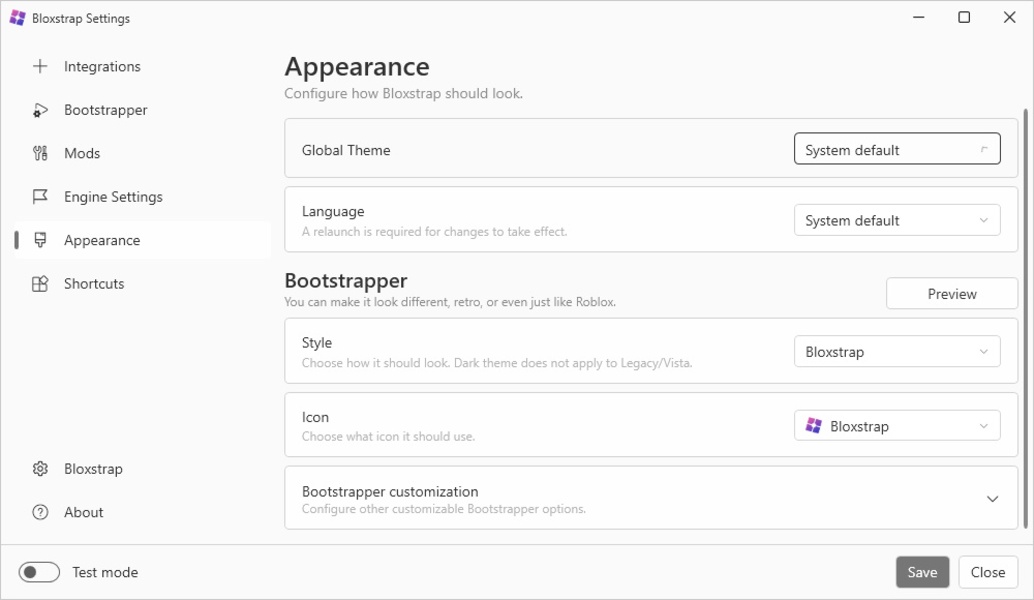
Bloxstrap is a Windows-focused launcher and customization utility designed for Roblox players who want more control over how the game client starts and behaves. It adds an alternative layer around the standard Roblox launch process, bringing together launcher preferences, appearance options, configuration profiles, and practical client settings in one place. Its streamlined interface makes it easier to organize frequently used options while keeping the Roblox startup workflow familiar.
| Feature | Description |
|---|---|
| 🎮 Alternative Launcher | Provides an enhanced launch experience for Roblox on Windows. |
| ⚙️ Client Configuration | Adjusts a range of launcher and client-related preferences. |
| 🎨 Appearance Options | Personalize selected elements of the Roblox launcher experience. |
| 👤 Configuration Profiles | Keep different groups of settings organized for separate setups. |
| 🚀 Faster Launch Workflow | Simplifies recurring Roblox startup tasks. |
| 🛠️ Bootstrapper Tools | Adds additional controls around the Roblox bootstrap process. |
| 🔧 Custom Preferences | Gives users more flexibility than the standard launch workflow. |
| 🖥️ Windows Integration | Designed specifically for desktop Roblox usage on Windows. |
| 🔄 Update Compatibility | Works alongside changing Roblox client versions when supported. |
| 🎯 Player Control | Centralizes useful launcher options in a single utility. |
| Component | Requirement |
|---|---|
| Operating System | Windows 10 or Windows 11, 64-bit |
| Processor | Modern Intel or AMD CPU |
| Memory | 4 GB RAM minimum, 8 GB recommended |
| Graphics | GPU capable of running Roblox |
| Storage | Sufficient space for Bloxstrap and Roblox components |
| Network | Internet connection required for Roblox services |
| Software | Compatible Roblox installation |
Bloxstrap is intended for desktop Roblox environments and its available options can change as Roblox updates its launcher and client infrastructure. Some configuration features may depend on the current Roblox version or Windows setup. Keeping both the utility and Roblox installation compatible helps maintain a smoother launch experience.
Bloxstrap • Bloxstrap Windows • Roblox Launcher • Roblox Bootstrapper • Roblox Utility • Roblox Customization • Roblox Client • Roblox Settings • Roblox Launcher Windows • Roblox Gaming • Game Launcher • Windows Utility • Roblox PC • Client Customization • Gaming Tools