



graphview_plus is an interactive force-directed graph widget for Flutter. It lays out nodes with d3-style physics that cools down and stops, keeps circles from overlapping, and lets users pan, zoom, drag nodes and tap them. Depends on nothing but Flutter.
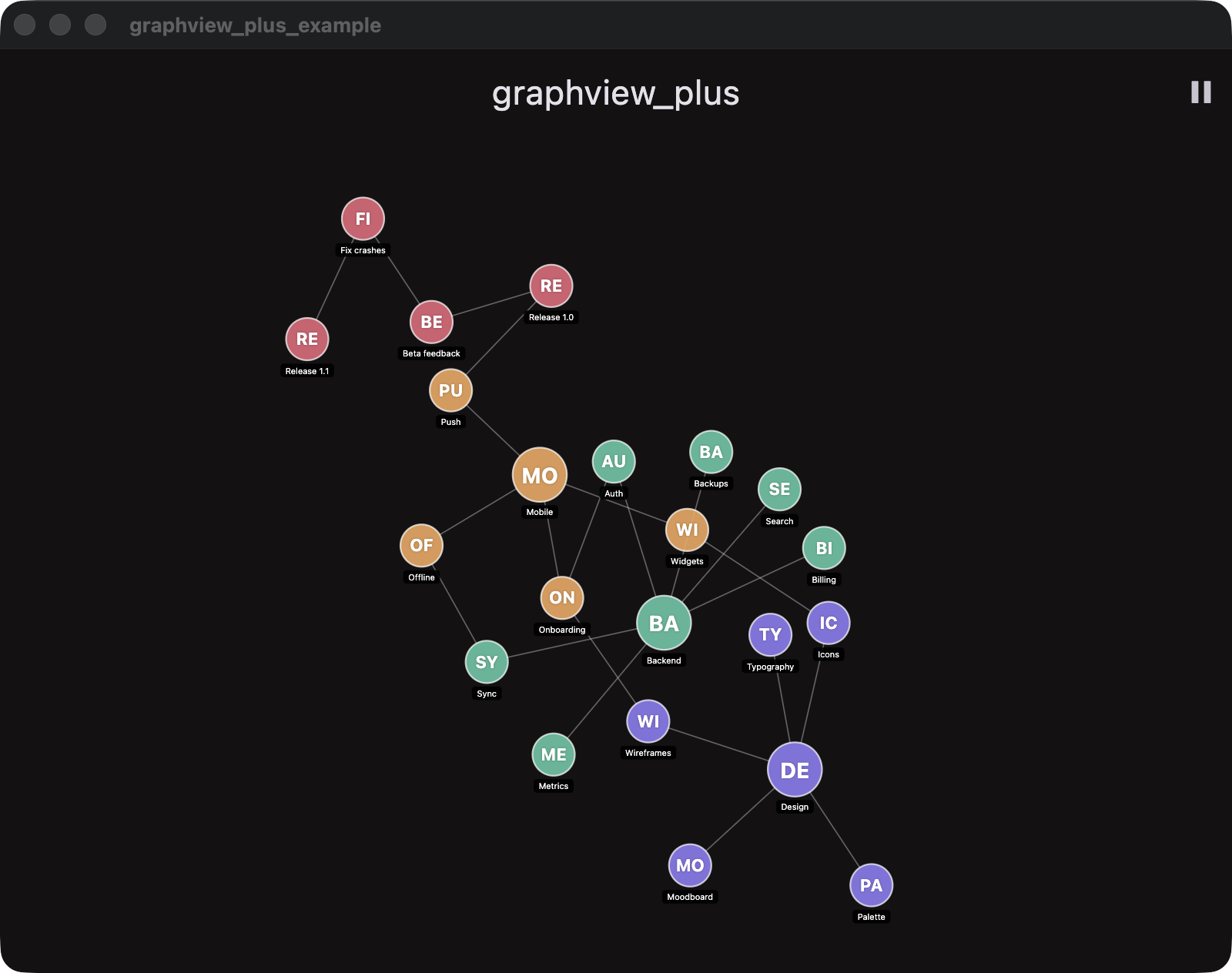
- Settles, then sleeps: forces are scaled by a cooling
alpha, so the layout comes to rest in a few seconds and stops repainting — no endless jitter, no idle CPU. - No overlaps: a collision pass keeps every circle apart; hubs get longer spokes so all their leaves fit.
- Interactive: pan, pinch/scroll zoom, drag a node (the rest of the graph follows), hover highlight, tap callback.
- Reveal animation: nodes pop in one by one next to a visible neighbour, Obsidian-style.
- Controller API: add or remove nodes and links at any time; known nodes keep their place.
- Tunable: repulsion, link distance, link stiffness and centring are plain properties.
- Headless core:
GraphSimulationis pure Dart — unit-test layouts or drive your own renderer.
Add the dependency in your pubspec.yaml:
dependencies:
  graphview_plus: ^latest_version
Then run:
flutter pub getThe type parameter is whatever you want to carry on each node — a model, an id, anything:
import 'package:graphview_plus/graphview_plus.dart';

final controller = GraphController<Task>();controller.setGraph(
nodes: [
for (final task in tasks)
GraphNode(
id: task.id, // how nodes are recognised across updates
label: task.title, // initials on the circle, full text as a label
color: task.color,
data: task,
),
],
links: [
for (final relation in relations)
GraphLink(relation.parentId, relation.childId),
],
);Call setGraph again whenever your data changes: nodes with a known id keep their position, new ones animate in, removed ones disappear. For single edits there are addNode, removeNode, addLink, removeLink and clear.
GraphView<Task>(
  controller: controller,
  showLabels: true,
  onNodeTap: (node) => openTask(node.data!),
)controller
..repulsion = 1.2 // 0.1–20, how hard nodes push apart (default 0.8)
..linkDistance = 200 // rest length of a link in canvas px (default 150)
..linkStrength = 0.15 // 0–0.3 spring stiffness
..centerForce = 0.0003 // 0–0.005 gentle pull towards the centre
..physicsEnabled = false; // freeze the layout; drag and reveal keep workingChanging a parameter warms the simulation up again so the layout adapts.
GraphNode.color is mutable. Change it and ask for a repaint:
for (final task in tasks) {
  controller.nodeById(task.id)?.color = colorFor(task);
}
controller.refresh();
Edge and highlight colours default to the theme's onSurface and primary; override them with GraphView.edgeColor and GraphView.highlightColor.
import 'package:flutter/material.dart';
import 'package:graphview_plus/graphview_plus.dart';

void main() => runApp(const ExampleApp());

class ExampleApp extends StatefulWidget {
  const ExampleApp({super.key});

  @override
  State<ExampleApp> createState() => _ExampleAppState();
}

class _ExampleAppState extends State<ExampleApp> {
  final _controller = GraphController<String>();

  @override
  void initState() {
    super.initState();
    _controller.setGraph(
      nodes: [
        for (var i = 0; i < 30; i++)
          GraphNode(id: '$i', label: 'Node $i', data: 'Node $i'),
      ],
      links: [
        for (var i = 1; i < 10; i++) GraphLink('0', '$i'),
        for (var i = 10; i < 29; i++) GraphLink('$i', '${i + 1}'),
      ],
    );
  }

  @override
  void dispose() {
    _controller.dispose();
    super.dispose();
  }

  @override
  Widget build(BuildContext context) => MaterialApp(
    home: Scaffold(
      body: GraphView<String>(
        controller: _controller,
        showLabels: true,
        onNodeTap: (node) => debugPrint(node.data),
      ),
    ),
  );
}The simulation follows d3-force:
- forces are multiplied by an
alphathat decays to zero over ~300 frames; - velocities keep 60 % of their value each frame;
- many-body repulsion falls off as
1/dwith a horizon of 2.5 link lengths, so distant nodes do not blow a hub's leaves into a tight fan; - links are springs whose rest length grows with a hub's degree, so leaves fit around it;
- the centre of mass is kept at the origin by translation, which never squeezes the graph;
- a dragged node is pinned and keeps the simulation warm until it is released.
-
GraphController<T>— owns nodes, links, physics and the reveal queue (ChangeNotifier)setGraph({nodes, links})— replace the graph; known ids keep their placeaddNode(node),removeNode(id),addLink(link),removeLink(link),clear()nodes,edges,nodeById(id),hitTest(canvasPoint)repulsion,linkDistance,linkStrength,centerForce,physicsEnabledrefresh()— repaint after a colour change;reheat([alpha])— warm the layout upstep()— advance one frame;GraphViewcalls it for you
-
GraphView<T>— the widgetcontroller,onNodeTap(node),showLabelsinitialScale,minScale,maxScalehighlightColor,edgeColor
-
GraphNode<T>—id,label,color,size,data,position -
GraphLink—sourceId,targetId -
GraphSimulation<T>— the headless physics:tick(),reheat(),isSettled, the four tuning fields